The short answer
Starlink’s Router 3, in the Standard (Gen 3) kit, connects up to 235 devices, and so does the Router Mini. The Starlink Mini’s built-in Wi-Fi takes up to 128, as did the older Gen 2 router. That is a connection limit, not a performance promise: on a 50 Mbps connection, about 10 people can stream Full HD video at the same time before things slow down.
Starlink device limits by router
| Router | Comes with | Maximum devices | Wi-Fi | Coverage |
|---|---|---|---|---|
| Router 3 (formerly the Gen 3 router) | Standard (Gen 3) kit, now sold as Standard 4 X | 235 | Wi-Fi 6, tri-band | Up to about 297 m² |
| Router Mini | Standard 4 kit, or bought separately | 235 | Wi-Fi 6, dual-band | Smaller than Router 3 (published figures vary) |
| Starlink Mini (built in) | Starlink Mini | 128 | Wi-Fi 5, dual-band | Up to about 112 m² |
| Gen 2 router | Older Standard Actuated kit | 128 | Wi-Fi 5, dual-band | About 185 m² |
The count includes everything that joins the Wi-Fi: phones, laptops, smart TVs, CCTV cameras, smart plugs and inverter monitors, not just people.
How many devices can use Starlink at once and still work well?
Most connected devices sit idle most of the time. What slows a network is how many are busy at the same moment, because they share one connection. Streaming services publish the speed each stream needs, so you can work out how many fit. Divide your connection speed by the speed per stream and round down:
| Activity | Recommended speed | Streams at 50 Mbps | Streams at 100 Mbps |
|---|---|---|---|
| Netflix 4K | 15 Mbps | 3 | 6 |
| Netflix Full HD or YouTube 1080p | 5 Mbps | 10 | 20 |
| Netflix HD (720p) | 3 Mbps | 16 | 33 |
| YouTube 720p | 2.5 Mbps | 20 | 40 |
| YouTube 480p | 1.1 Mbps | 45 | 90 |
For example, 50 ÷ 3 = 16.7, so 16 people can watch Netflix in HD at once on 50 Mbps. We use 50 Mbps as a working figure, but Ookla’s 2026 data put Starlink’s median download in Nigeria below 50 Mbps, so many connections will be slower at busy times. 100 Mbps is a good day on a clear site (our handover tests have ranged from 50.2 to 121 Mbps).
In practice, plan on about three-quarters of these numbers. Wi-Fi loses some speed through walls, and Starlink’s standard terms (not confirmed for Nigeria) say Residential users are most likely to be affected during peak usage hours. Treat each HD video call like an HD stream, and remember that calls and CCTV also need upload speed, which the same terms put at typically 10-30 Mbps. Browsing and WhatsApp use far less, so a home with 30 connected devices and four people watching video is comfortable on most days.
If speed drops even with few devices online, the cause is usually something else; our guide to why Starlink is slow works through it.
Starlink Mini vs Standard: how many gadgets?
The Starlink Mini’s built-in Wi-Fi 5 handles up to 128 devices over about 112 m², which suits one to three people, a small flat, travel or a site visit. The Standard (Gen 3) kit’s Router 3 handles 235 devices on Wi-Fi 6 over about 297 m², with two LAN ports for wired devices, which suits a family home or a small office. If you start with a Mini and outgrow its Wi-Fi, a Router Mini can mesh with it to extend coverage. Our Starlink Mini vs Standard comparison covers the other differences.
Offices, churches, schools and hotspots: when one router is not enough
In most Nigerian buildings, coverage runs out before the device limit does. Concrete walls, upstairs rooms and a router at one end of the building leave dead spots. You have two ways to extend it:
- Starlink mesh. Router 3 works with up to three Starlink mesh nodes. Starlink advises placing nodes no more than two rooms apart, away from concrete walls and large mirrors, and wiring them with Cat5e or better where you can. Router 3 is not compatible with third-party mesh systems.
- A business network. Your own router with ceiling access points on Cat6 cable, managed centrally, with separate networks and per-user speed limits. This is the better route for offices, schools, hotels and estates; our Starlink Wi-Fi and networking guide compares the two.
Churches and event halls need extra thought. Hundreds of phones in one hall can reach a single router’s limit even when most are idle, and a congregation streaming at once will swamp any connection. Keep the main network for the media team and staff, and give visitors a separate guest network with limits, or none at all.
If you plan to sell Wi-Fi access, the rules and the sums are different; read our guide to starting a Starlink hotspot business first.
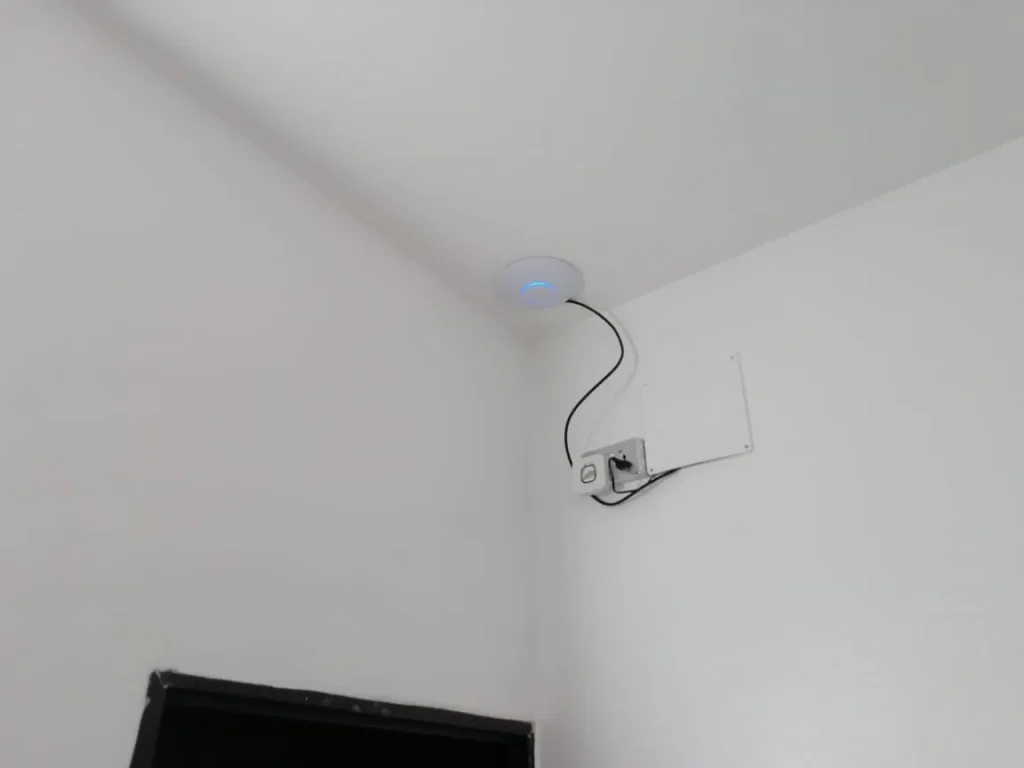
See the full job on our duplex whole-home Wi-Fi installation page.
Seeing and controlling connected devices in the Starlink app
- See who is connected. The app’s network section lists connected devices by name and hardware (MAC) address. Use it to spot unknown devices and heavy users.
- Pause or remove a device. Depending on the app version, you may be able to pause internet for a device, but the Starlink router has no MAC filtering to block one permanently. The sure way to remove everyone is to change the Wi-Fi password; our guide to changing your Starlink Wi-Fi password has the steps.
- Use a guest network. Since March 2026, each network can be set to Guest mode, which stops its devices from talking to each other. At least one network must stay in Default mode.
- Split the bands for older devices. Some CCTV cameras and smart plugs only use 2.4 GHz. The app can give 2.4 GHz and 5 GHz separate names so these devices connect reliably.
Need more coverage or more users?
ZuraLink Limited’s installers plan and install mesh Wi-Fi, ceiling access points and Cat6 cabling for homes, offices, churches and schools across Nigeria. See our Starlink business network service, WhatsApp us or call 0802 859 5303, 24 hours a day.
Starlink Device Limit FAQs
How many phones can connect to Starlink?
Up to 235 on Router 3 or the Router Mini, and up to 128 on the Starlink Mini. How many work well at once depends on what they are doing, not on the limit.
How many devices can connect to Starlink Mini?
Up to 128 on its built-in Wi-Fi, over about 112 m². That is plenty for a small household or for travel.
Can 50 people use one Starlink?
Yes for browsing and WhatsApp. Not if they all stream HD video at once on a 50 Mbps connection, so use access points with per-user limits.
Does Starlink limit users or data?
Each router has a device limit. For data, most new customers in Nigeria are on a Priority plan such as our small business plan, which has unlimited data, and Residential is also sold as unlimited. Our guide to whether Starlink is unlimited explains priority data.
Why does Starlink slow down when many people connect?
Everyone shares one connection, so each busy device gets a smaller slice, and peak hours are busier on Starlink’s network too. Weak Wi-Fi in far rooms makes it worse.