The short answer
Yes, Starlink works when it is raining. Light and moderate rain rarely makes a noticeable difference. In a very heavy downpour the signal weakens, so expect brief slowdowns or short drops, then recovery once the heaviest rain passes. The dish is rated IP67 and is built to stay outdoors all year. The router is an indoor device and must stay inside.
What happens to Starlink in heavy rain?
Starlink holds a nationwide Ku-band licence from the NCC, and its dishes use Ku-band radio frequencies to talk to the satellites. Raindrops absorb and scatter signals at these frequencies, and the heavier the rain, the bigger the loss. Engineers call this “rain fade”. Light rain and ordinary cloud have little effect. A thick storm cell in the part of the sky the dish is using can cut the signal enough to slow the connection or drop it for a short time.
Starlink has said the same in its own words. Its support text in 2021 read: “heavy rain or wind can also affect your satellite internet connection, potentially leading to slower speeds or a rare outage.” That is older wording, and Starlink’s current help text may put it differently.
What you notice first is usually a video call freezing or a stream buffering. Once the heaviest rain moves on, the connection recovers by itself; you don’t need to restart anything. If Starlink stays offline long after the rain stops, or drops out on dry days too, the cause is something else, such as an obstruction, water in a connector or a power problem. Our guide to why Starlink keeps disconnecting walks through those checks.
When is the rainy season in Nigeria?
- South and the coast: rains run from about March to November, with a marked break in August (the “August break”).
- Far north: from about mid-May to September. The season gets shorter the further north you go.
- How much rain: more than 3,000 mm a year in the south-east, about 1,800 mm in the south-west, and no more than 500 mm in the far north.
NiMet’s 2026 seasonal prediction expected a longer-than-normal season in Lagos, with a delayed end, an early start in Rivers, and above-normal rainfall in the FCT. So customers in Lagos, Port Harcourt and Abuja should expect plenty of heavy-rain days. If a video call or upload really matters, avoid scheduling it in the middle of a storm, and keep mobile data on your phone as a fallback.
Is Starlink waterproof?
An IP rating has two digits. The first is protection against dust (6 means dust-tight). The second is protection against water: 4 is splashes, 5 is water jets, 6 is powerful jets, 7 is brief immersion, and 8 and 9K are tougher still.
| Part | Starlink’s rating | Where it belongs |
|---|---|---|
| Standard (Gen 3) dish | IP67 | Outdoors |
| Starlink Mini | IP67 with the DC power cable and the Starlink Plug (or Starlink’s own Ethernet cable) fitted; not IP67 with a standard RJ45 cable | Outdoors |
| Mini power supply | IP66 | Somewhere sheltered |
| Standard 4 power supply | IP66 | Somewhere sheltered |
| Router 3 | IP56, “configured for indoor use” | Indoors |
| Router Mini | Indoor only | Indoors |
| Gen 2 router | IP54 | Indoors |
| Performance dish | IP69K with cables fitted, IP68 without | Outdoors, including boats and harsh sites |
So yes, the dish can get wet, and rain running off it is normal. Don’t cover it: a cover sits in the signal path, can weaken the signal and traps heat. The routers are a different story. Even the Router 3’s IP56 rating does not make it an outdoor router; keep it indoors, away from windows that leak and off the floor where water can pool.
Keeping water out of the cable and connectors
Water problems most often start where the cable enters the dish, the router or the building, rather than in the sealed dish itself. These habits keep it out:
- Push every plug fully home. Starlink says the Standard cable’s plug face must sit flush. The Gen 3 plugs have moisture seals that only work when seated.
- Keep the Mini’s Starlink Plug fitted whenever its Ethernet port is not in use.
- Leave a drip loop where the cable enters the wall, so water drips off the bottom of the loop instead of following the cable inside.
- Drill at a slight downward angle from inside to outside and seal the hole thoroughly, as Starlink’s older routing guide advises.
- Don’t bury the cable bare. Starlink’s older guide says it is not burial rated, so use conduit.
- Avoid outdoor joints. Ordinary RJ45 couplers and plugs have no seals.
More on routing, conduit and replacement cables is in our guide to Starlink cables and routing through walls.
Storms and strong wind
Starlink rates the Standard and Mini dishes as operational in winds of 96 km/h and above. The weak point is the mount. Starlink says its mounts “are not designed for high winds, hurricane or tornado wind loads” and that a tether should be used in all cases. Its no-drill Ridgeline Mount is rated for wind up to 80 km/h.
The strong gusts that arrive just before a rainy-season storm are what shift badly fixed dishes. A dish that has moved can lose its alignment and give a misaligned warning in the app. After the first big storms of the season, check that the mount is tight and the tether is in place. Our guide to Starlink mounts for Nigerian roofs covers poles, brackets and fixings.
Lightning and power surges
Starlink’s older official installation guides (from the Gen 2 era) give this advice:
- Avoid using the product during an electrical storm.
- Unplug it and disconnect the dish cable during storms or long periods of non-use.
- Plug three-pin power cords into an earthed (grounded) socket.
- An external lightning protection system, such as a lightning rod, ground rod or surge protector, may reduce the risk.
We have not found current grounding guidance for the Gen 3 kit in Starlink’s published documents. In practice: plug the power supply into a surge protector, unplug the kit indoors when a heavy thunderstorm is coming (before the lightning is close, not during it), and if your dish sits on a tall metal pole on a high roof, ask a qualified electrician about earthing it. No surge protector can stop a direct lightning strike. Storms also bring NEPA surges when power returns; our guide to Starlink power, inverters and backup covers surge protection and inverters.
Installing Starlink in the rainy season
You don’t have to wait for the dry season. Our installers work through the rains, though safety comes first: no one should be on a roof when there is lightning about. If you are fitting the dish yourself, wait for a dry spell, because a wet roof is slippery. On one pitched-roof bungalow, our installer fixed and aligned the dish in the rain and set the router up indoors by the TV.
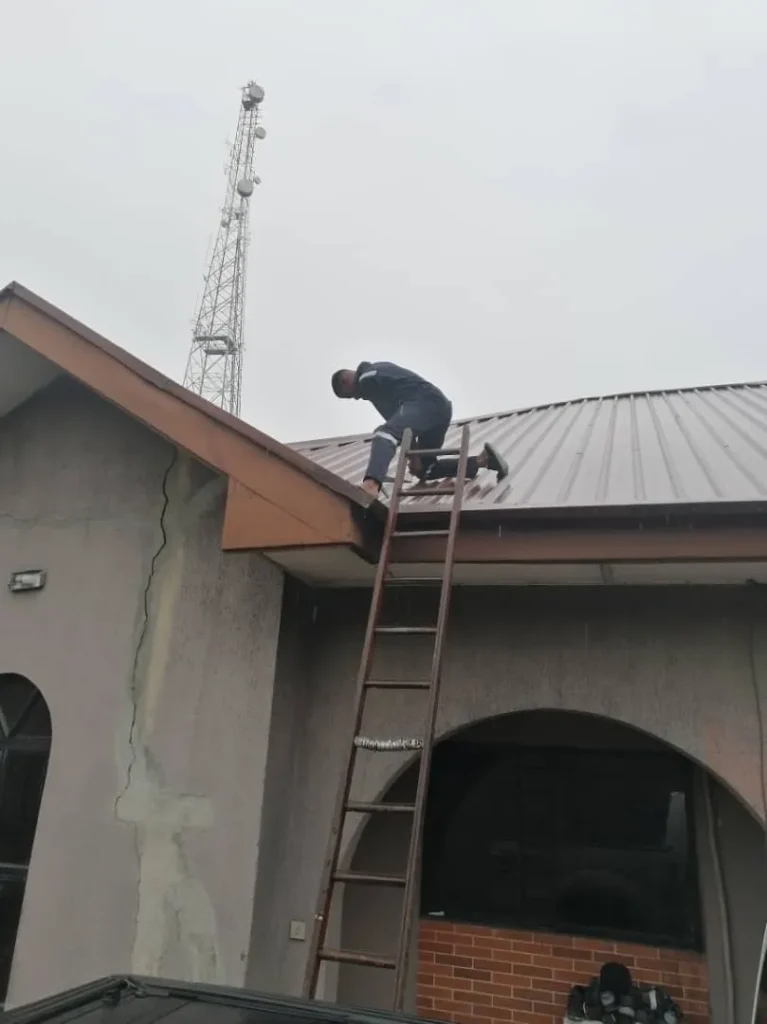
A rainy-season installation is also a good test: if a cable entry leaks or a mount is loose, you find out within weeks rather than months. Our guide on how to install Starlink in Nigeria covers the full job.
Weatherproofing done properly
Our installers seal every cable entry, leave drip loops and keep the router indoors. If water has already got into a connector, or your mount moved in a storm, we can fix it. See our Starlink installation service, WhatsApp us or call 0802 859 5303.
Starlink rain and weather FAQs
Is the Starlink Mini waterproof?
Starlink rates it IP67 when the DC power cable and the Starlink Plug (or Starlink’s own Ethernet cable) are fitted. With an ordinary RJ45 cable it loses that rating.
Are Starlink routers waterproof?
No. The Router 3 is IP56 but configured for indoor use, and the Router Mini and Gen 2 router are indoor devices.
Is the Starlink cable waterproof?
The Gen 3 cable’s plugs are sealed when fully pushed in, and the cable is made for outdoor runs. It is not rated for burial, so use conduit underground.
Will Starlink work in bad weather?
Yes, in most weather. Very heavy rain can slow it or cause a short drop, and strong wind is mainly a risk to the mount, not the signal.
Should I cover my Starlink dish when it rains?
No. The dish is built to be rained on, and a cover can weaken the signal and trap heat.
Should I unplug Starlink during a thunderstorm?
Starlink’s older guides advise unplugging the kit and disconnecting the dish cable during electrical storms. Do it as the storm approaches, not while lightning is striking nearby. A surge protector helps the rest of the time.