The short answer
Starlink needs a clear view of the sky. A tree branch, water tank, wall or roof edge in the way causes short interruptions each time a satellite passes behind it. Use the obstruction tool in the Starlink app before mounting, aim for a map with no red, and if something blocks the view, raise the dish or move it somewhere clearer.
What counts as an obstruction
Starlink’s install guides put it simply: “Your Starlink needs a clear view of the sky so it can stay connected with satellites as they move overhead.” Objects “such as a tree branch, pole, or roof, will cause service interruptions.”
The dish doesn’t look at one point. The Standard (Gen 3) dish and the Mini each see a 110° cone of sky; the Performance dish sees 140°. Satellites cross that cone all the time, so a blocked patch anywhere in it costs you a moment of connection whenever a satellite passes through it. A DStv dish is different: it points at one fixed satellite, which is why a spot that suits DStv can still be poor for Starlink.
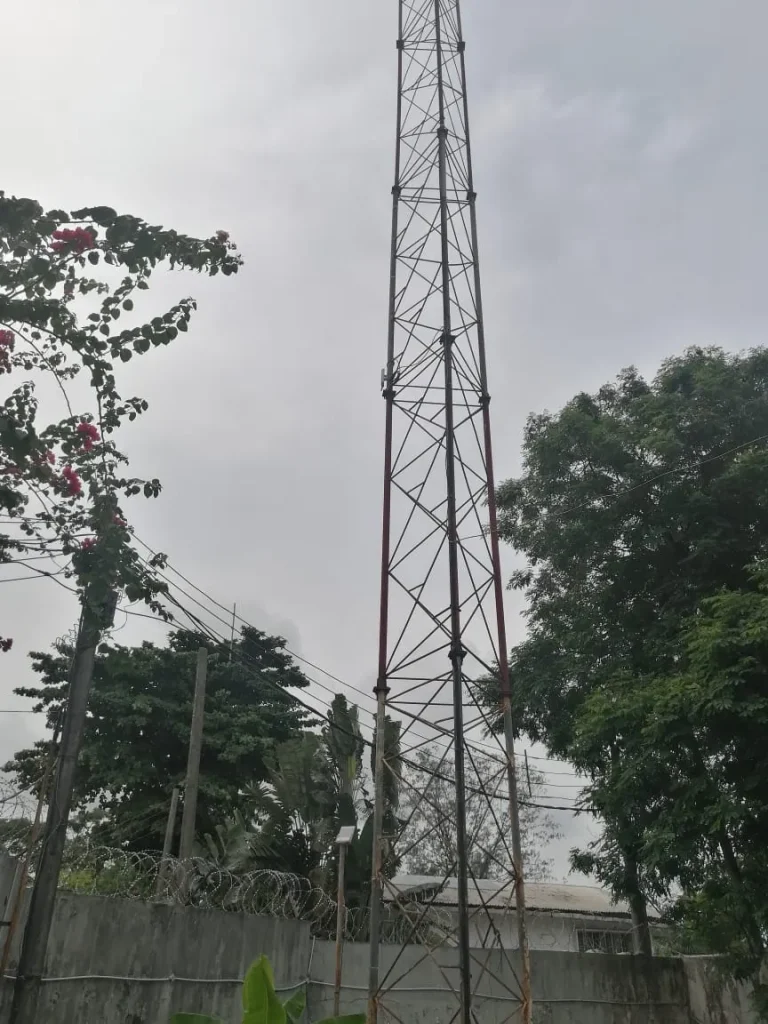
Common obstructions on Nigerian properties
- Trees: mango, palm and almond trees in the compound, and branches that grow back after trimming.
- Water tanks on stands or rooftops, often right beside the best spot on the roof.
- Neighbouring buildings, especially a new storey going up next door.
- Masts and poles: telecom masts, electricity poles and antenna poles.
- Parapets: a dish sitting low behind a concrete parapet loses the lower part of its view.
- Your own roof: a dish on a wall bracket below the roof line can lose much of its sky to the house.
How to run the Starlink obstruction test
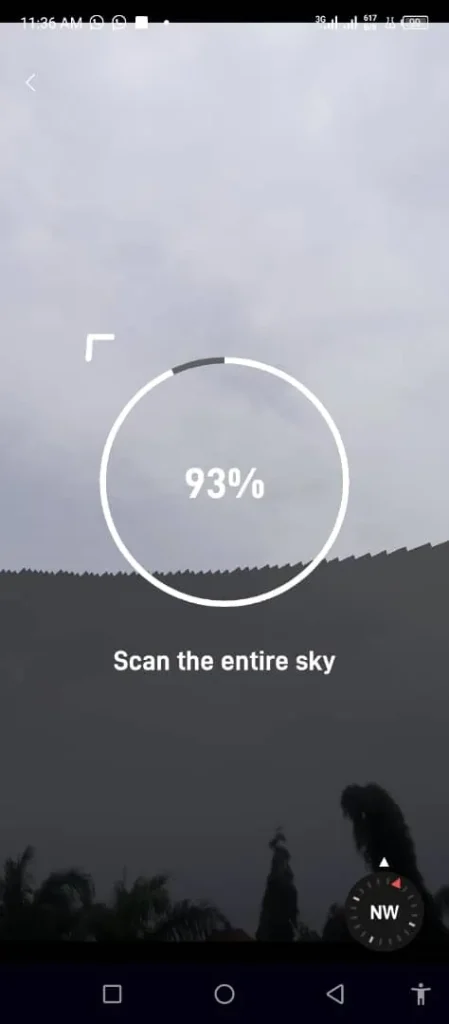
- Before fixing anything, open the obstruction tool in the Starlink app. Starlink’s guides say to use it to choose the mounting spot; its name and place in the menu change between app versions.
- Stand where you plan to put the dish and sweep your phone’s camera across the sky as the app directs. Only do this where you can stand safely: don’t climb onto a roof or tank stand to run the scan.
- Compare other spots you can reach safely, such as a balcony, a flat roof with a parapet or an open corner of the compound. For the ridge or a tank stand, let an installer run the scan.
- If you can, run the dish on a temporary stand for at least 12 hours before drilling.
- Check the obstruction map in the app. It fills in over the first hours after the dish boots up: blue is sky where the dish has connected to satellites, blank is sky not yet seen, and red is obstructed.
What “partially obstructed” means
Starlink hasn’t published an exact definition of “partially obstructed” that we could check. Independent guides describe it as something blocking part of the dish’s view of the sky, so you still have internet, but with short interruptions. Downloads and Netflix hide these because they buffer. Live things suffer most: WhatsApp and Zoom calls freeze, online games lag and live streams stutter. If calls drop every few minutes, suspect an obstruction until the map says otherwise. A dish indoors or behind glass is the extreme case: see can Starlink work indoors.
Which way should the dish point in Nigeria?
Don’t use a fixed compass direction, and don’t copy a neighbour’s dish. The Standard, Mini and Performance dishes have no motors: you set the direction and tilt by hand, and the app’s alignment guide gives the target for your exact location and warns you if the dish is misaligned. Nigeria sits just north of the equator, and the app’s target may not be what you expect there, so follow it.
How to fix Starlink obstructions
Raise the dish
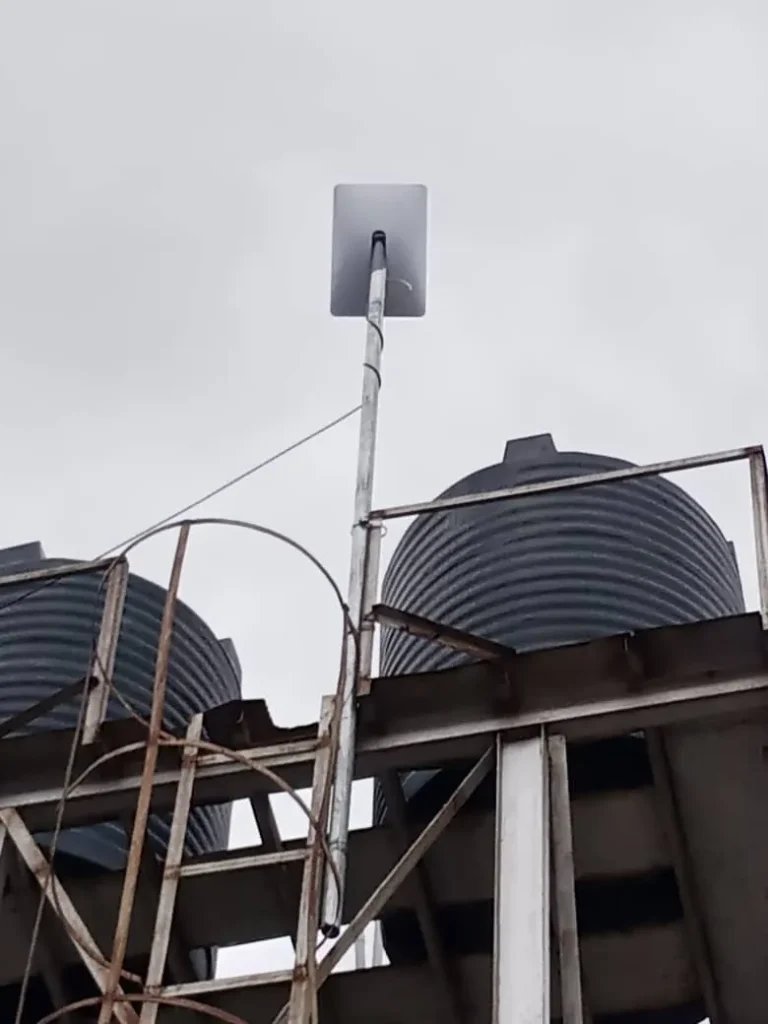
Starlink’s advice is that if ground level has no clear view, “consider installing in an elevated location, like a roof, pole, or wall”. Height clears many compound trees and walls. On one job we mounted the dish on an extension pole above a steel water-tank tower, lifting it clear of the tanks. A raised dish catches more wind, so the pole must be fixed firmly, and Starlink’s guides say tethering “should be used in all cases”. Work on roofs and tank towers is a job for trained installers with proper safety gear.
Move it to the ridge or the gable
The roof ridge is usually the highest point and sees past the roof itself. On a stone-coated roof with solar panels, a ridge mount keeps the dish above the panels.
A bracket fixed near the top of the gable wall is another way to gain height, as on this gable-edge bracket on a two-storey home.
Trim trees, or move into the open
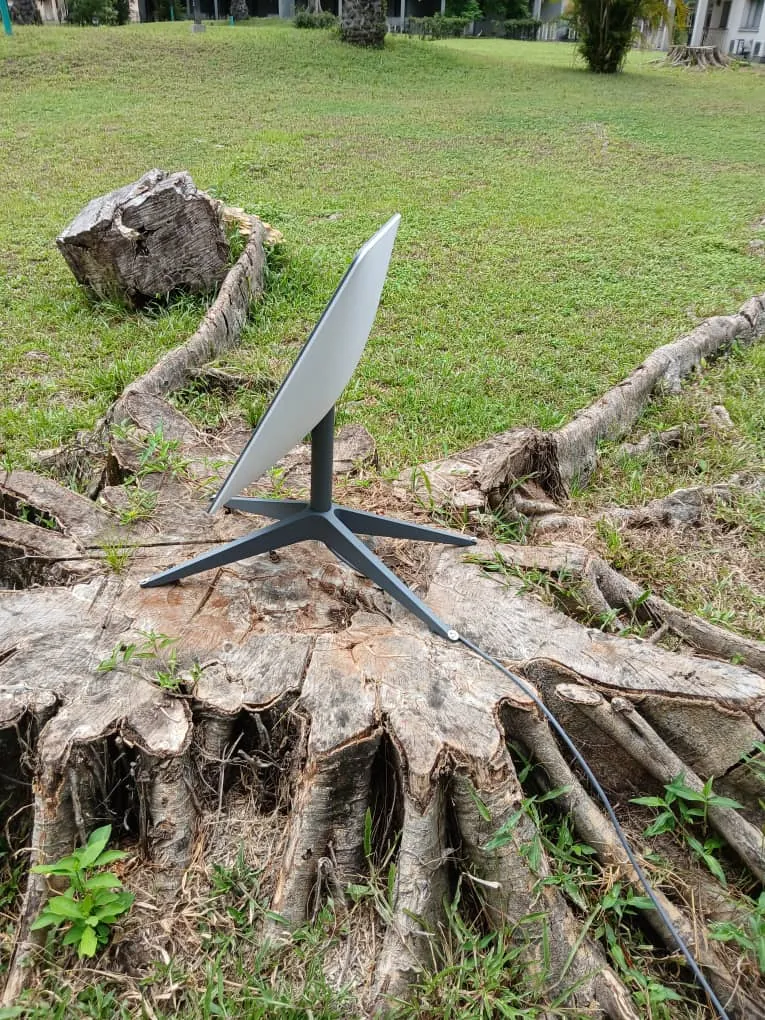
Trimming helps, but branches grow back, so check the map again after a few months. If the compound has an open area, a dish on the ground can beat a cramped roof: in this garden compound install the dish sits on open ground, clear of the trees.
Mount options for each roof type are in our guide to Starlink mounts, and the full process is in how to install Starlink in Nigeria. If the dish still drops with a clear map, the cause is elsewhere: see why Starlink keeps disconnecting or our troubleshooting guide.
When to call an installer
If the obstruction tool shows red wherever you can safely reach, the fix usually needs height: a pole, tank-stand or ridge mount, fixed securely, with the cable sealed where it enters the building. Our Starlink installation service surveys the site, picks the spot with the app and mounts the dish, anywhere in Nigeria. If your dish is already up and dropping, our support team can check whether an obstruction is to blame. Call 0802 859 5303 or WhatsApp us.
Starlink obstruction FAQs
Will Starlink work with trees around?
Yes, if the trees sit outside the dish’s cone of sky. Trees at the edge of a compound are often fine; a canopy overhead is not.
Does a partially obstructed Starlink still work?
Usually, but with short drops; how often depends on how much sky is blocked. Browsing and streaming may seem fine while calls and gaming suffer.
How high should a Starlink dish be?
Starlink’s install guides don’t give a minimum height. Mount it high enough that the obstruction map shows clear sky.
Does the Starlink dish need to face north in Nigeria?
Don’t assume a direction. Set it to the target the app’s alignment guide gives for your location.