The short answer
No. Starlink does not come with TV: there are no Starlink TV channels, decoders or packages, because Starlink is internet only. You watch TV over it with streaming apps such as DStv Stream, Netflix and YouTube on a smart TV or streaming stick, paying for those services separately. Our small business plan, the Priority plan most new customers in Nigeria are on, has unlimited data, so streaming will not cut you off.
Is there a Starlink TV package or decoder?
No. Starlink sells satellite internet: a dish, a router and a monthly plan. It has no TV channels, no decoder and no bundle that includes a TV service. If a seller offers a “Starlink decoder” or “Starlink TV package”, they are selling something else under the name. A search of Jiji for “starlink decoder” in October 2026 turned up power stations, Wi-Fi extenders and installation services, not decoders.
Starlink does not include a phone line either. Calls over the internet, such as WhatsApp voice and video, work normally on Starlink Wi-Fi. Starlink’s satellite-to-phone service is a separate product sold through mobile networks; our article on Starlink SIM cards and Direct to Cell explains where that stands in Nigeria.
How to watch DStv Stream, Netflix and live sport on Starlink
- Connect the TV or streaming stick to your Starlink Wi-Fi, or by cable if the TV has an Ethernet port.
- Install the apps you use, such as DStv Stream, Netflix or YouTube, from the TV’s app store.
- Sign in with your own subscription. Your Starlink plan does not include any streaming service.
- Set the picture quality in each app to suit your speed and, on a plan with a fixed priority data allowance, how fast you want to use it.
Live sport works the same way, through the app of whichever service carries the match you want. If you used Showmax, note that it closed on 30 April 2026; MultiChoice moved Showmax Originals to a Showmax section in the DStv Stream app, on the Compact and Premium packages.
How much speed and data does streaming use?
Starlink’s standard terms, which we have not seen confirmed for Nigeria, describe its speeds as “suitable for streaming, video calls, online gaming, and other typical household internet use”. Here is what the main services need per TV:
| Stream, per device | Speed needed | Data per hour |
|---|---|---|
| Netflix HD (720p) | At least 3 Mbps | Up to 3 GB (High setting, HD) |
| Netflix Full HD (1080p) | At least 5 Mbps | Up to 3 GB (High setting, HD) |
| Netflix 4K | At least 15 Mbps | Up to 7 GB |
| YouTube 1080p | 5 Mbps | About 2.25 GB (our estimate) |
| YouTube 4K | 20 Mbps | About 9 GB (our estimate) |
The Netflix figures are Netflix’s own. YouTube publishes speeds but not data use, so we worked it out: 1 Mbps for an hour is 3,600 megabits, or about 0.45 GB, so 5 Mbps is about 2.25 GB an hour and 20 Mbps about 9 GB. MultiChoice does not publish DStv Stream data figures that we could find; treat the Netflix rows as a rough guide for similar picture quality.
Can Starlink handle 4K on several TVs?
Our handover tests have ranged from 50 to 121 Mbps. At 50 Mbps, 50 ÷ 15 gives room for about three Netflix 4K streams with nothing else running; at 121 Mbps, about eight. In practice, leave headroom for phones, evening slowdowns and Wi-Fi losses, so two 4K TVs plus everyday use is a comfortable target. Our Starlink speed guide explains what to expect at different times.
Why unlimited data matters for TV
Three TVs watching Netflix in 4K for 3 hours a day use 3 × 3 × 7 GB = 63 GB a day, or about 1,890 GB in 30 days. On our small business plan, a Starlink Priority plan with unlimited data, that is fine, and Residential is reported as unlimited too. On a plan with 1 TB of priority data, such as our Enterprise 1 TB plan, the priority data would last about 16 days (1,000 ÷ 63 = 15.9). On the Nigerian accounts we sell and manage, the service then carries on with unlimited standard data at lower network priority, so the TVs keep streaming. Our guide to whether Starlink is unlimited explains Residential, fair use and Priority data.
Smart TV or streaming stick, and why a cable helps
You do not need a special TV for Starlink. Any smart TV or streaming stick works if it has the apps you want and a decent Wi-Fi connection. When choosing, look for:
- the apps you pay for, available on that TV or stick in Nigeria;
- 5 GHz Wi-Fi, which is faster over short distances than 2.4 GHz;
- an Ethernet port, so you can plug the TV straight into the router.
An older smart TV with slow Wi-Fi often streams better through a newer stick. Router position matters as much as the TV: the Standard kit’s Router 3 covers up to about 297 m², and the Starlink Mini’s built-in Wi-Fi up to about 112 m², less through concrete walls. In bigger houses, mesh nodes or ceiling access points carry the signal to the TV room; see our guide to Starlink Wi-Fi and networking.
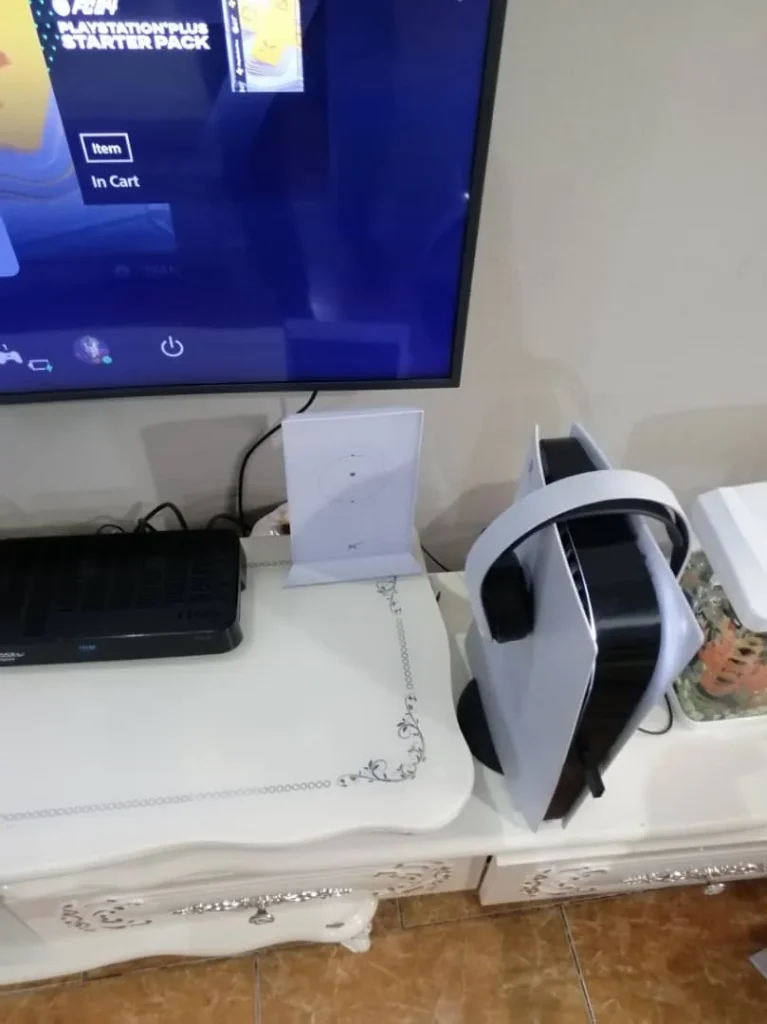
For the steadiest picture, especially in 4K or during live sport, use a cable. The Router 3 has two Ethernet ports, the older Gen 2 router needs Starlink’s Ethernet Adapter, and the Mini has one Ethernet port on the dish. Our guide to the Starlink Ethernet adapter and wired connections covers each kit.
Keep your DStv dish too
A DStv satellite dish receives TV channels directly and does not use your internet data, so it keeps working if your internet goes down. You can keep both: DStv on the dish for channels, Starlink for internet and streaming. They can share a roof. The only rule is that the Starlink dish needs a clear view of the sky, so we place it where the DStv dishes do not block it.
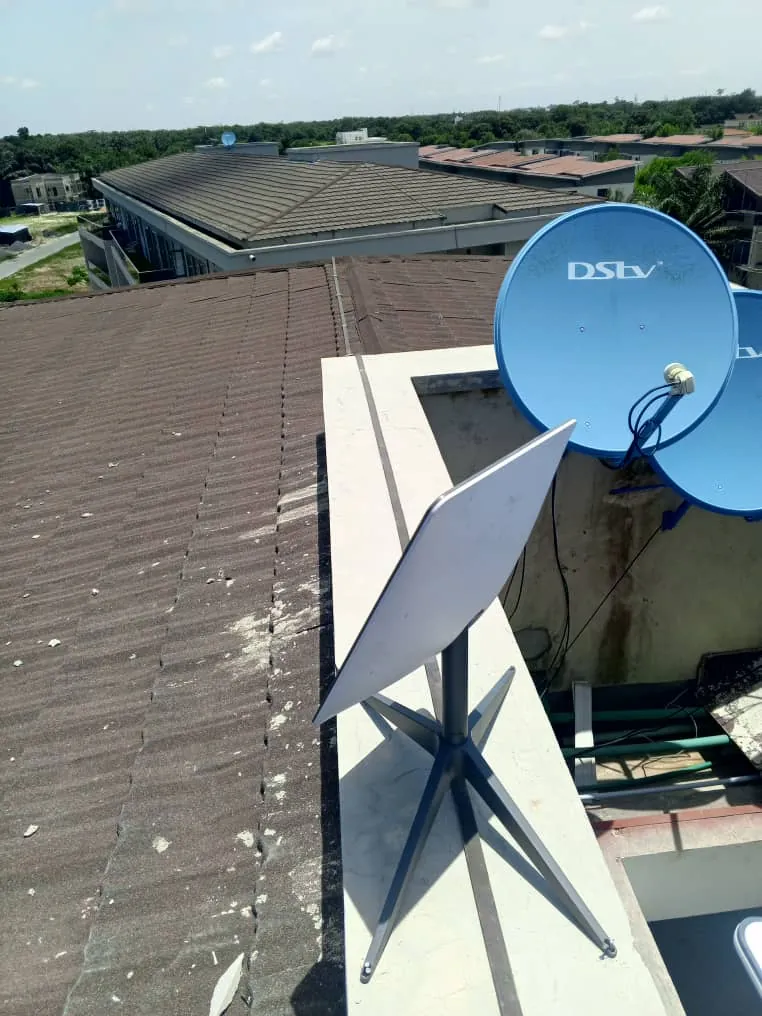
See the full job: Starlink alongside the DStv dishes on a stone-coated roof.
Live streaming church services over Starlink
For live streaming, upload speed matters more than download. Our handover tests measured uploads of 10.8, 14.2 and 35.2 Mbps on different jobs, and Starlink’s standard terms describe typical upload as 10 to 30 Mbps. That is enough for a live stream, as long as you plan for it:
- Wire the streaming computer or encoder to the router instead of using Wi-Fi.
- Test upload speed at the same time of day as your service, a week before.
- Set the stream’s bitrate well below your tested upload; we suggest no more than about half.
- Keep phones and other devices from uploading large files during the service.
Starlink’s standard terms say Priority data gets precedence over Residential and Roam data, and most new customers in Nigeria are already on a Priority plan. If you are on Residential or Roam and the stream really matters, a Priority plan is worth considering. Our Starlink for business guide explains the business options.
Setting up Starlink for TV and streaming
We deliver, install and activate Starlink in one visit, and we can place the router near your main TV, run a cable to it, or add access points for other rooms. To get started, buy your Starlink kit from us, or ask us about your house first. WhatsApp us or call 0802 859 5303, 24 hours a day.
Starlink TV FAQs
Does Starlink have TV channels or packages?
No. Starlink is an internet service only; you add TV through streaming apps you subscribe to separately.
Can I watch DStv with Starlink?
Yes, through the DStv Stream app on a smart TV, streaming stick, phone or laptop connected to your Starlink Wi-Fi. You can also keep your DStv dish and decoder alongside Starlink.
Can I still watch Showmax on Starlink?
No. Showmax closed on 30 April 2026, and its Originals moved to a Showmax section in the DStv Stream app.
Can Starlink stream 4K?
Yes. Netflix asks for at least 15 Mbps for 4K and YouTube recommends 20 Mbps, both well within the speeds we measure at handover.
What is the best device for streaming on Starlink?
Any smart TV or streaming stick with the apps you need, 5 GHz Wi-Fi and ideally an Ethernet port. Satellite internet does not need a special streaming device.
Is Starlink good for live streaming?
Yes, if you wire the streaming computer and keep the stream’s bitrate comfortably below your tested upload speed.